Instagram

  • Home
  • About
  • Contact
    • Category
    • Category
    • Category
  • Shop
  • Advertise
Powered by Blogger.
twitter pint insta

The Stitch Maker

This is one of the funnest parts about Jailbreaking your device. Youll love this!
Okay so lets get started!

Step 1: Open Cydia, hit "Sources". (Skip to Step 5 if you already have ModMyi.)
Step 2: "Edit" then "Add ".
Step 3: Type this in exact;y!
http://apt.modmyi.com
Step 4: "Add" and install.

Step 5: Open Cydia, hit "Search". And search for "Zeppelin".
Step 6: Hit "Install". And wait for it to finish.

Step 7: Respring or reboot.
Step 9: Go to Settings. And scroll down until you see Zeppelin.
Step 10: Hit "Theme" and go ahead and choose whichever youd like.
And thats it! You can go to Cydia and search for Zeppelin and look at all the ones you can install! Theres hundreds!
If youd like to learn how to make your own out of an image click here :)

Share
Tweet
Pin
Share
No comments
If youve already done your own search for a theme you want installed or you want to learn how I installed mine, read along.


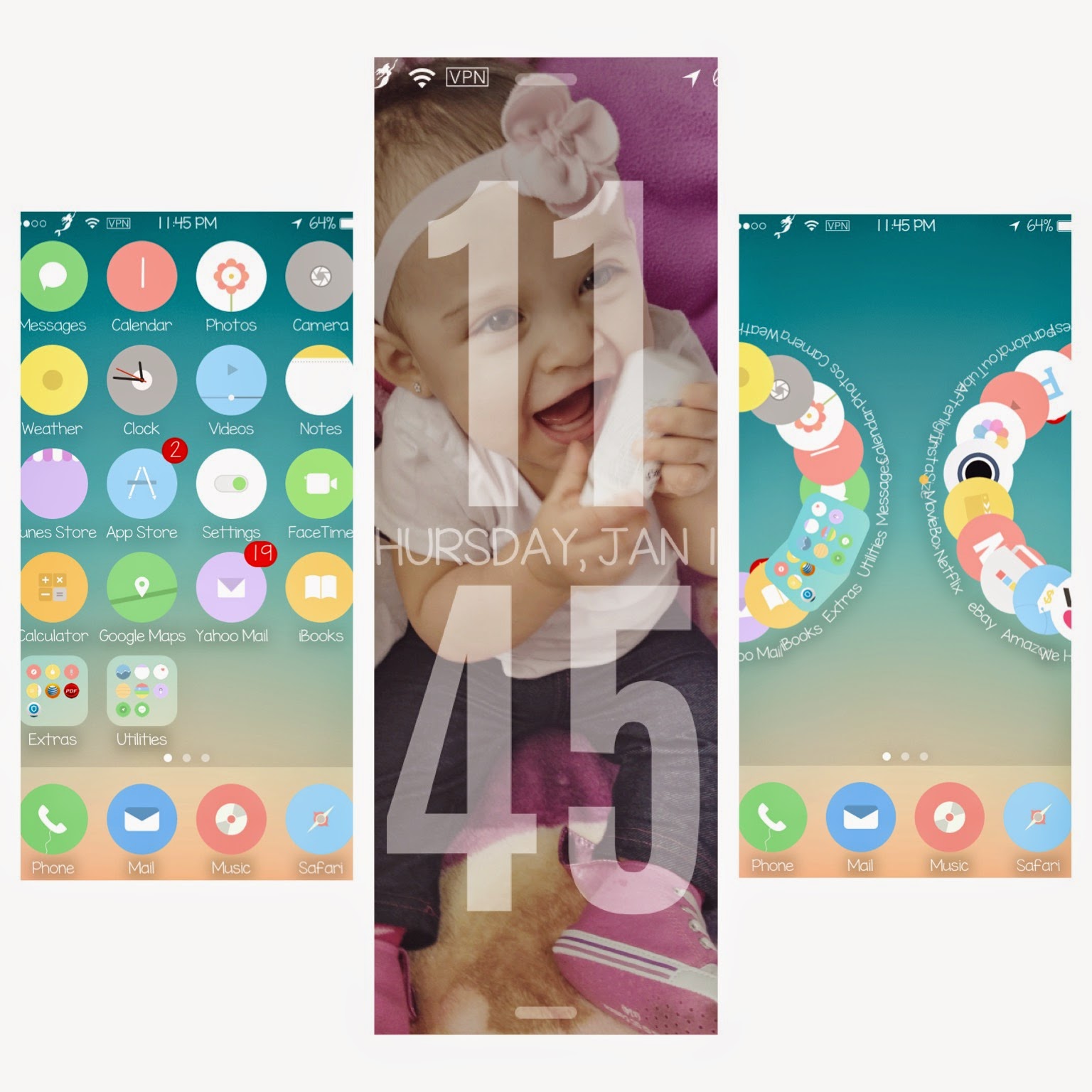
The theme im currently using is called Enkel.
I love the pastel-y look of the icons and it has most of them covered.
Step 1: Open the Cydia app.

Step 2; Hit "Sources".
Step 3: Hit "Edit". Then "Add".

Step 4: Type in this exactly!
http://repo.biteyourapple.net/


Youll use this source for alot of paid tweaks that you can get for free :)

Step 5: Hit "Add Source".

Now itll show the black screen with a ton of writing. Let it install and either..

Step 6: Reboot or Respring your device.

Once it starts up again...


Step 7: Go back to Cydia.
Step 8: Hit "Search."
Step 9: Type and hit "Enkel".
Step 10: Install.
Step 11: It might ask you to Respring, go ahead and do that if it does.


Step 12: Now go to Winterboard either on your Settings or through the actual app.
Step 13: Hit "Select Themes:
 Step 14: Hit all those that apply. Play around to see what you like.
Step 15: Respring and voila!

Go ahead and have fun and look up different themes! :)


Share
Tweet
Pin
Share
No comments
So following my most recent post, I wanted to share what I have installed on my phone to get you started on some tweaks or if you like something youd like to have.
First things first, my theme.
With most themes the main thing youll need to have is Winterboard. Which is sort of an app for installing themes and theme related tweaks.

Step 1: Go to Cydia app.

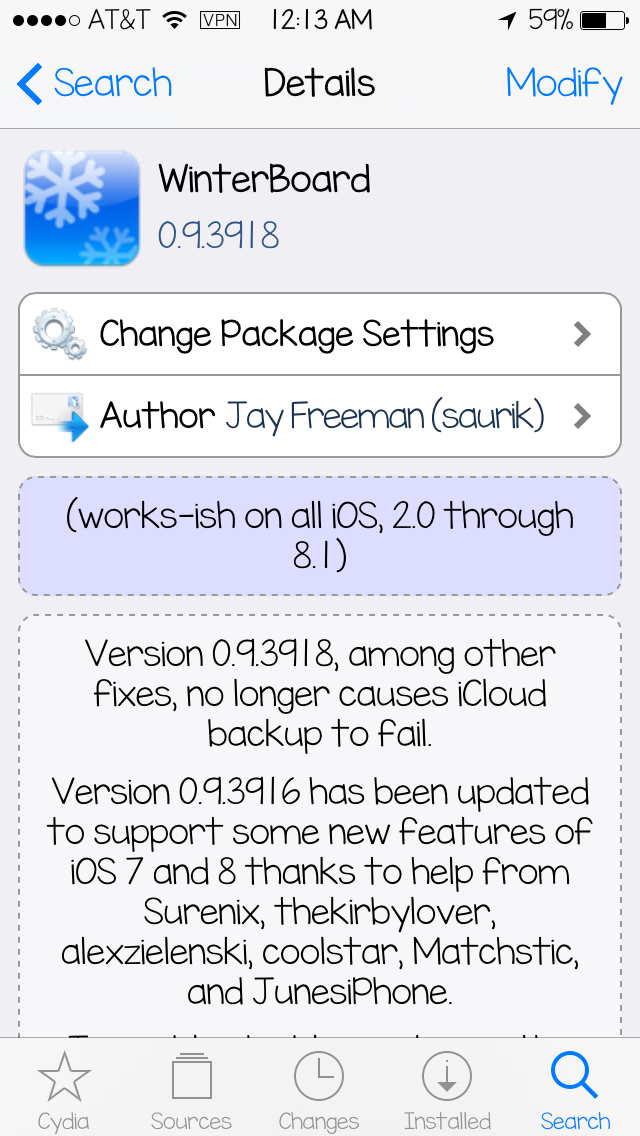
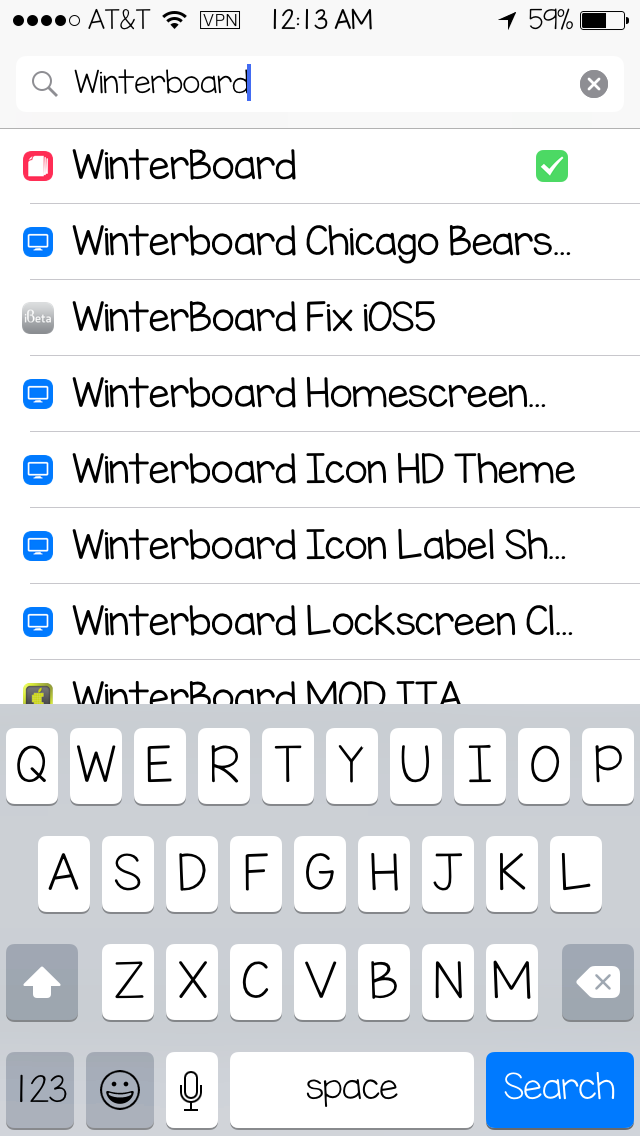
Step 2: Hit Search and type "Winterboard". Tap It.

Step 3: Mine is already installed but up top in the picture where you see "Modify", itll say "Install" for you. Go ahead and do that.

Step 4: Youll see a black screen with a bunch of writing appearing. Thats what happens when you install a tweak or app through Cydia. Let it finish,

Step 5: Go ahead and Respring or Reboot your device.

Step 6: Once your device starts up again, youll see it on your Springboard (where your apps are).

Youre not going to use it right away now, but this is the main app youll use to install themes and theme related tweaks.

So lets move along and show you how I installed my theme. Go ahead and click here :)


Share
Tweet
Pin
Share
No comments
So this is a little different than what I usually post. But it bothers me that people are paying someone else for a service in which they could do themselves for no cost at all. With that being said, I am going to show you how to Jailbreak your iPhone in iOS8!


I honestly recommend everyone to do this. Especially if you like customization and if youd like to get the best and full experience on your iOS device. If youre bored of your phone and need a change, this is a great way to start and youll feel like you have a brand new one!

You can change and add and customise so many things, the list is endless.

So lets get started!

(In this tutorial we'be using Windows. If you are using a Mac, please click HERE.)

BEFORE JAILBREAKING, PLEASE REGARD THE FOLLOWING:(credit)


  • Before jailbreaking, you must turn off any lock screen passcode or Touch ID (Settings > General > Touch ID & Passcode > turn off Simple Passcode) as well as Find My iPhone (Settings > iCloud > Find my iPhone), and naturally, your device will need to have spare storage space in order to run Pangu in the first place. Passcode and Touch ID can be turned on after the jailbreak and Cydia installation is complete.
  • Turn on Airplane mode. You can turn it off once jailbreak is complete.
  • You must have an iTunes restored version of iOS 8 / 8.1 installed on your device for the jailbreak to work. If you updated from iOS 7.x to 8.x from your phone then the jailbreak won’t work. You can download iOS 8.1 from here, and restore using iTunes.
  • Make sure you backup your device completely before proceeding either through iTunes or using iCloud (Settings > iCloud > Storage & Backup and turn on iCloud Backup). At this stage, there’s a reasonable chance that something may go wrong, and while many of you will undoubtedly be prepared to take this chance, you don’t want to lose your data for good.
  • You must have iTunes 12.0.1 or later installed on your PC before you can even begin. But that’s not it; it should also be running in the background when the jailbreak process is taking place.
  • Supported devices:
    • iPhone 6
    • iPhone 6 Plus
    • iPhone 5s
    • iPhone 5c
    • iPhone 5
    • iPhone 4s
    • iPad (2, 3, 4, Air, Air 2, mini 1, mini 2, mini 3)
    • iPod touch 5
  • Supported firmwares:
    • 8.0
    • 8.0.1
    • 8.0.2
    • 8.1

  • Jailbreaking


    Step 1: Download Pangu for Windows from here.
    Step 2: Right-click on the Pangu icon and then click on Run as Administrator.
    Step 3: With Pangu up and running, connect your iPhone, iPad or iPod touch to your PC using USB.
    Step 4: Click on the big ‘Start Jailbreak’ button in the center of the display, followed by ‘Already did’ on the next screen to begin the jailbreak process. Your device will reboot couple of times during the process so be patient.
    Step 5: Once the Pangu tool says ‘Jailbreak succeeded’, that’s it. It’s done, you will find Pangu app along with Cydia app icon on the home screen. Simply run Cydia and start installing your favorite tweaks!

    Its fairly simple to do. You dont need any fancy software. And theres many tweaks you can look up on Youtube. To see whats installed on my phone, I will be making a post of my tweaks and such. Enjoy your new phone!

    To see me other Jailbreak tutorials go here.


    Share
    Tweet
    Pin
    Share
    No comments
    So this year Eli (my fiance) and I decided to make Christmas Wish Lists. Although we might not receive any of these (and theres nothing wrong with that), we decided to just do it for fun! :)
    So starting off with the princess. Here's our wish list for our little Lulah Mae. 

    Lulah's Wish List

    The Maxi Cosi Pria 85. Her big girl car seat.

    The Mamas And Papas Baby Bud Booster Seat. Cmon, its gorgeous.
    This super cute circus crib bedding!

    The Whisper Ride 2 Buggy!
    12V Roadster Kids Electric Ride On Car
    Disney Movie Box Set

    Eli's Wish List

    Bluetooth Bose Soundbar
    Strght Pintail Board Skates With Wolves in Bamboo (Black on Red Wheels)

    Black Harley Boots
    Call Of Duty Advanced Warfare


    Wooden Sunglasses

    Dre Beats Earbuds


    Winter Coat


    Kenia's Wish List
    Wolf Spirit Hood

    Kikki,K Large Planner in Mint


    Xyron Create A Sticker Max
    Ariel Headphones

    Washi Tapes


    Ipod Touch 64gb in Blue or Black

    Stamp Ink Pads

    Cricut Explore 

    Paper Trimmer

    Scotch Laminator


    Barnes & Noble Gift Card (or Michaels/Joanns)

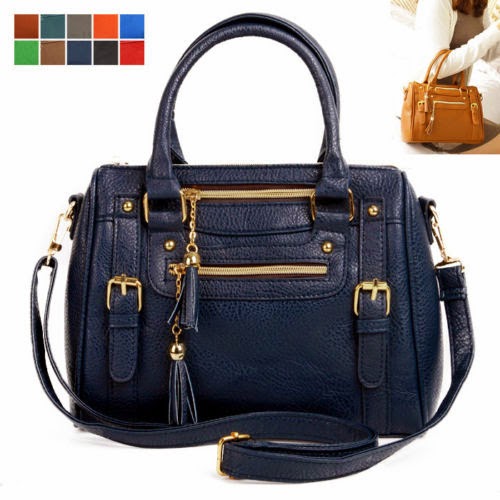
    Slightly Bigger Purse


    Share
    Tweet
    Pin
    Share
    No comments
    For those of you who know, I run my own crochet shop - making handmade beanies and such.
    I have been wanting to organize my orders better because currently theyre on post-its. Yes I know. So bad. But when I tried searching for an order form that suited me, I couldnt find it.
    So I made one :) and here it is for free so you guys can have it too!
    It my first time making a printable so I apologize if its not perfect.
    Feel free to leave a comment below on what I could fix.
    This is an A5 size. If you would like another size, please let me know.

    Click on image to download.

     PDF Download


    Share
    Tweet
    Pin
    Share
    2 comments
    We as parents always want the best for our babies. Well here are my favorites that Ive discovered through research and trial & error. I hope it helps some of you!


    Diaper Genie ($34.99)
    I never wanted one of these. They always seemed a bit tedious to me. (I garbage can just for diapers...laaaaaame!) HOWEVER when I got one as a gift the day of my baby shower and actually used it, I FELL IN LOVE. This thing is amazing! It works so well that you only smell the horrible diaper stench when you change the bag. The refills can get pretty pricey ($6.99 each) but at Costco they sell the 4 pack for $20-25. But its totally worth the money!

    Maxi Cosi Mico Infant Car Seat ($179.99)
    The simple fact that this car seat weighs so little, is what drew me to it in the first place. It keeps my little girl comfortable and safe. They come in so many colors also. Since this one was introduced, theres been other versions of it as well. And they only keep getting better. The only downfall I would say would be the max weight limit (20 lbs) and the price but I think its wayyy worth it.

    Tommee Tippee Closer to Nature 5pk 9oz Deco Baby Bottle Set - Pink FlowerTommee Tippee Bottles (5 pk $29.99)
    I love these! I love the shape, the nipples, the flow. When I first had my daughter, she was drinking both breastmilk and formula, then we switched to all formula. I was always worried that there would be "nipple confusion" but I never had a problem with these. The nipple is also very flexible, which is nice because its soft and she gets a rue feeling to a boob. The price on these, I would say, is right in the middle. Neither cheap or expensive - its all just preference.

    Pampers Baby Dry Diapers Super Pack (Select Size)Pampers Baby Dry Diapers (Super Pack $24.99)
    Everyone has their own preference on diapers. These are mine. My daughter never became allergic to all the brands that we've tried but I always liked these. They dont leak, they have a slight fragrance so dont smell. Theyre comfortable and the straps are really secure. I prefer these over the swaddlers, just because of the leaking and the look of it. You can find them for different prices everywhere but I think theyre pretty affordable.

    Avent Microwave Sterilizer ($34.99)
    My sister gave this to me and right away I loved it. I didnt have to deal with waiting for it to heat up and steam, or only fit a certain amount of bottles. This thing can fit a whole lot and does a very good job at making bottles nice and sterile. You just stick in the microwave for 2 minutes, and youre good to go!

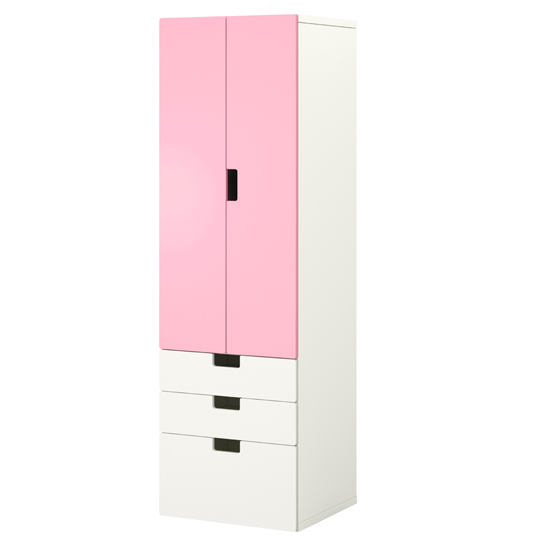
    Ikea Stuva ($184+)
    We live in a small apartment and we did not have closet space to put all of her baby clothes. So we got this and I honestly feel like everyone should. It keeps all her shoes, headbands, clothes, beanies, etc. organized. The doors dont slam shut. The colors, the drawers and doors are all customizable, which is why the price ranges. Its very light and also very sturdy at the same time. You can add or remove pieces and you cant not love it.


    Well that is all for now! I will update as soon as I can think of more or fall in love with more products. :)
    Share
    Tweet
    Pin
    Share
    No comments
    Newer Posts
    Older Posts

    About me

    Follow Us

    • instagram
    • twitter
    • Pinterest

    POPULAR POSTS

    • New Insert Alert! Colorful Arrows WO2P
      Hello everyone! Made some new inserts for you all. I obviously have a thing for watercolor. I made these because I sometimes dont have ...
    • Watercolour Planner Inserts (WO2P, Daily, Lists)
      Hello everone! I had so much making the last inserts so I decided to get a little more creative with these. Let me know what you think! ...
    • Gold Deer Inserts!
      Hello everyone! Here I wam again, coming at you with a new insert! Its a little different this time however. Because today, this one is f...

    Instagram

    Categories

    • becky higgins
    • crochet
    • cydia
    • erin condren
    • filofax
    • freebies
    • iphone
    • jailbreak
    • kate spade
    • kikki k
    • kikkik
    • mommy
    • mommytips
    • paperchase
    • planner
    • planner inserts
    • planner printable
    • planner printables
    • project life
    • review
    • scarpbooking
    • shop
    • tuorials
    • tutorial
    • tutorials
    • tweaks
    • winterboard
    • zeppelin

    recent posts

    Facebook

    Blog Archive

    • ▼  2015 (12)
      • ▼  August (1)
        • Work Schedule (Free Printable)
      • ►  July (1)
      • ►  June (1)
      • ►  May (2)
      • ►  February (2)
      • ►  January (5)
    • ►  2014 (7)
      • ►  December (1)
      • ►  November (1)
      • ►  October (1)
      • ►  September (1)
      • ►  August (2)
      • ►  July (1)
    Twitter Instagram Pinterest

    Created with by ThemeXpose | Distributed By Gooyaabi Templates